Palike

A mobile app that helps older adults connect in a safe and authentic way

  • Type: Academic project. End-to-end app + branding.
  • 
Duration: 8 months.
  • Team: 6 UX/UI Designers
  • 
Role: UX Research, UX/UI Design, Branding, Prototyping, Accessibility
.
  • Tools: Figma, Figjam, Google Suite, Adobe Suite.

Context

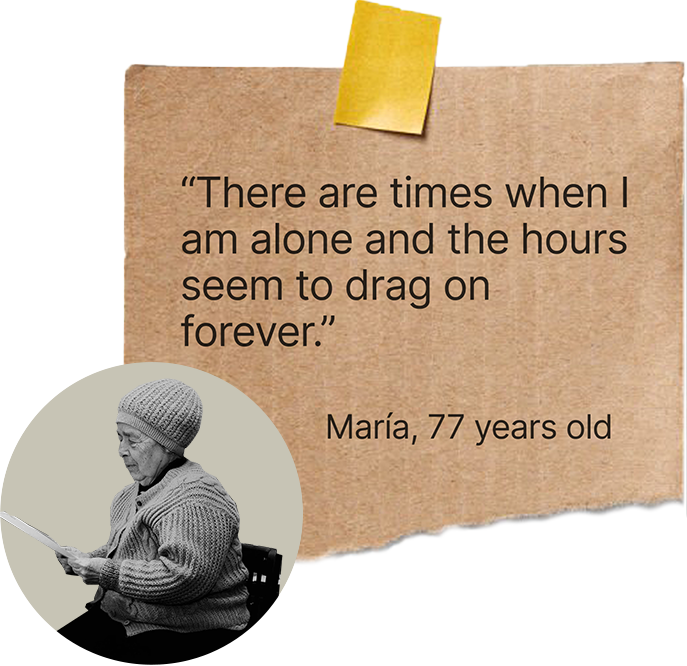
Loneliness among older adults is a growing issue, especially after retirement.
 Many live alone, with limited social contact and find digital tools difficult to use or intimidating.

To address this we needed to understand their daily routines, fears, motivations and the role of technology in their lives.

Challenge

Our challenge was to design an inclusive solution that:

  • Fits naturally into their daily routines.
  • Feels safe and trustworthy.
  • Encourages authentic social interaction, not just another chat app.

How might we create a safe and meaningful platform that helps older adults build real connections and reduce loneliness while keeping it simple and easy to use?

Design thinking process

1. Empathize

· Desk research
· Interviews
· Surveys
· Benchmark

2. Define

· Insights
· User persona
· User journey
· Value proposition
· User stories
· Mvp

3. Ideation

· Task flow
· User flow
· UX Sitemap
· Card sorting
· Navigation
· Tree Testing
· Wireframes
· Cognitive biases

4. Design

· Naming
· Logo
· UI kit
· Accessibility
· Prototype

5. Test

· User tests
· Final design

Empathize

Understand the real needs, emotions and daily challenges of older adults who experience loneliness. Discover how technology could help them connect in a safe and comfortable way.

Before designing anything… How much does loneliness affect older adults and why is it so persistent in our society? 

Desk research

63% of the population has felt lonely.

19% of the total population are older adults.

40% of people over 65 feel lonely on a regular basis.

Silent epidemic

The vast majority of society (93.3%) considers loneliness in older adults to be an invisible problem.

A growing problem

In just two decades, 15% of the population will be over 65, and by the end of the century, nearly 25% will be over 65.

Research gave us context but we needed voices. We sat down with older adults to learn more about them and their routines.

Interviews

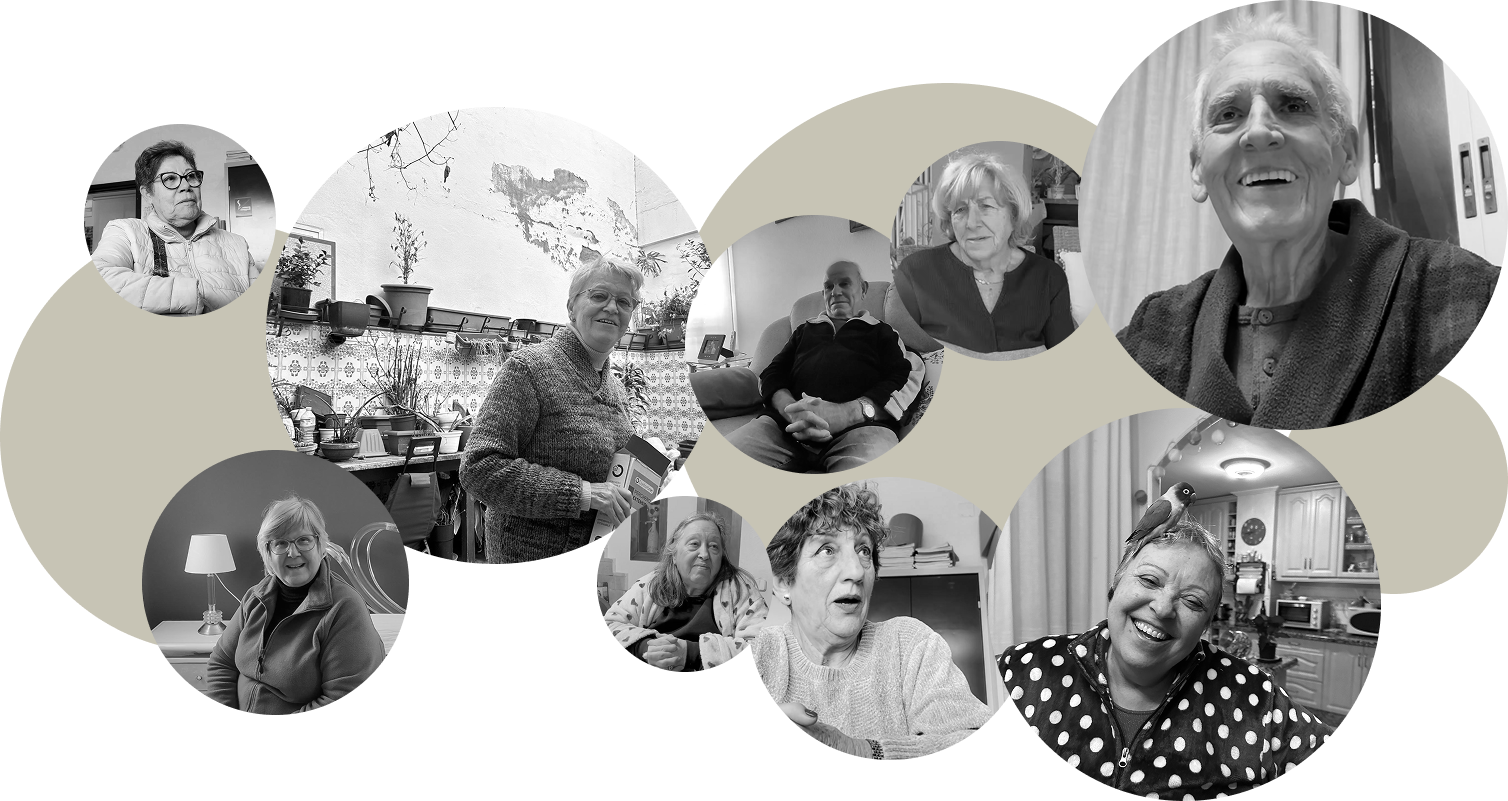
16 semi-structured interviews with people aged 60 to 80 from different backgrounds and lifestyles. 


Goal: explore their routines, motivations and fears around social connection and technology.

What we learned:
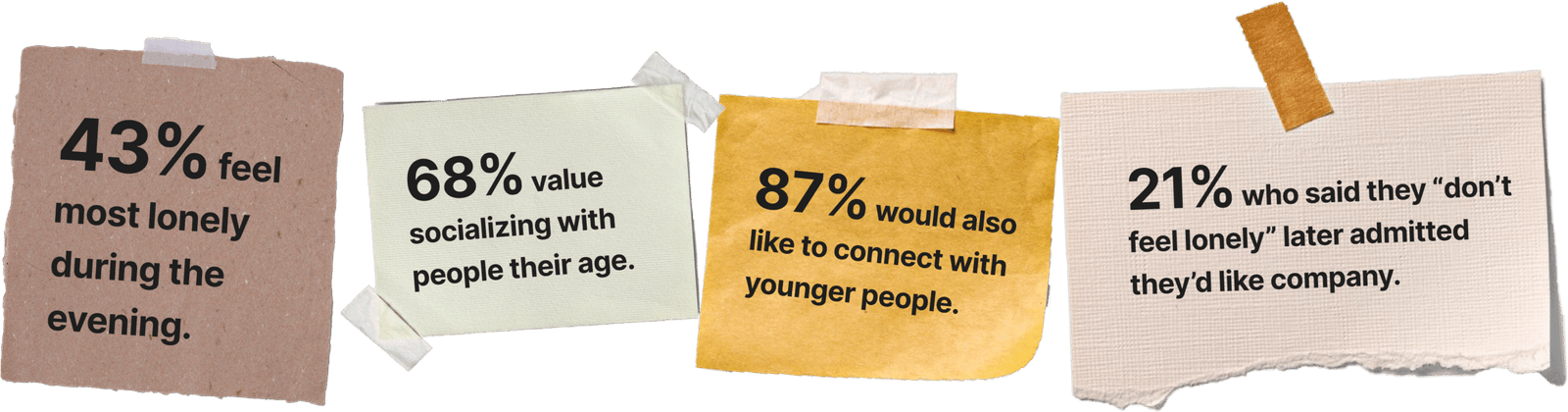
  • They value companionship with people their age.
  • Trust and safety come before any new interaction.
  • They prefer simple and familiar interfaces.
  • Some enjoy learning, but only at their own pace.

Once we heard their stories we wanted to know if these patterns were shared. We gathered data to confirm which pain points were common.

Surveys

We designed a 22-question survey to validate our interview insights. 
Only retired or pre-retired people could complete it.

We received 99 valid responses.

Outcome

Many older adults don’t openly admit their loneliness but still long for meaningful connection.
 We validated our insights and confirmed we were addressing a real deep need.

With this foundation, we looked outward. What solutions already exist and why are they not enough? 

Benchmark

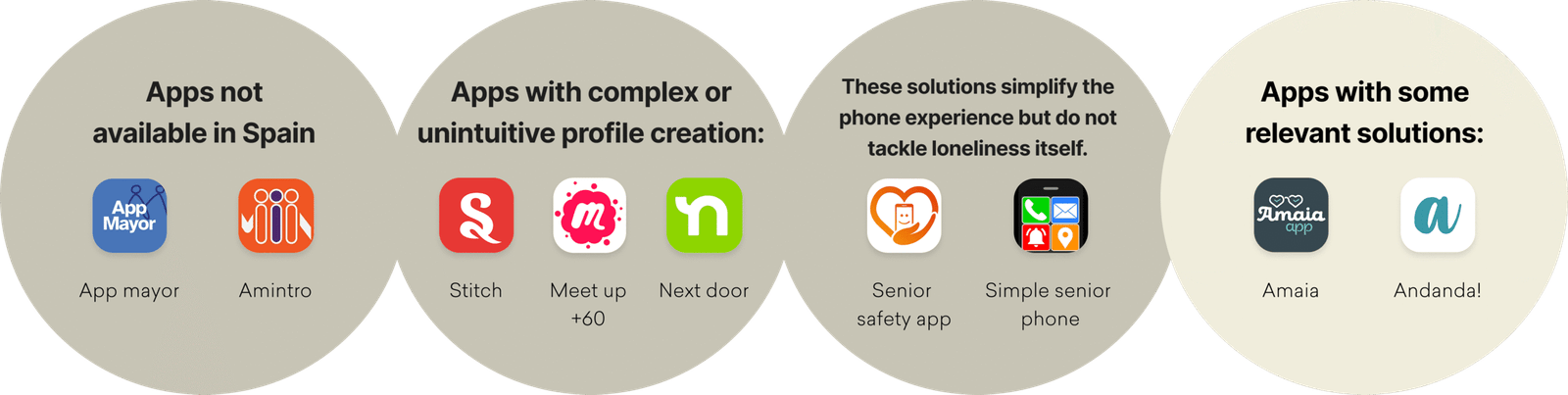
We analyzed existing apps for older adults.

Conclusion

Most existing solutions either are not available locally, focus on different needs or do not fully address loneliness.
 Only a few come close to meeting the needs of older adults seeking meaningful social connections in an accessible and safe way.

Define

Identify the core problem behind older adults’ loneliness, define the user’s emotional and functional needs and translate research findings into a clear design focus that guides all decisions moving forward.

What do all these stories have in common so far? We distilled the findings into insights that explained the emotional triggers behind loneliness.

Insights

Based on our research, we identified six key insights.

You can click on each one ->

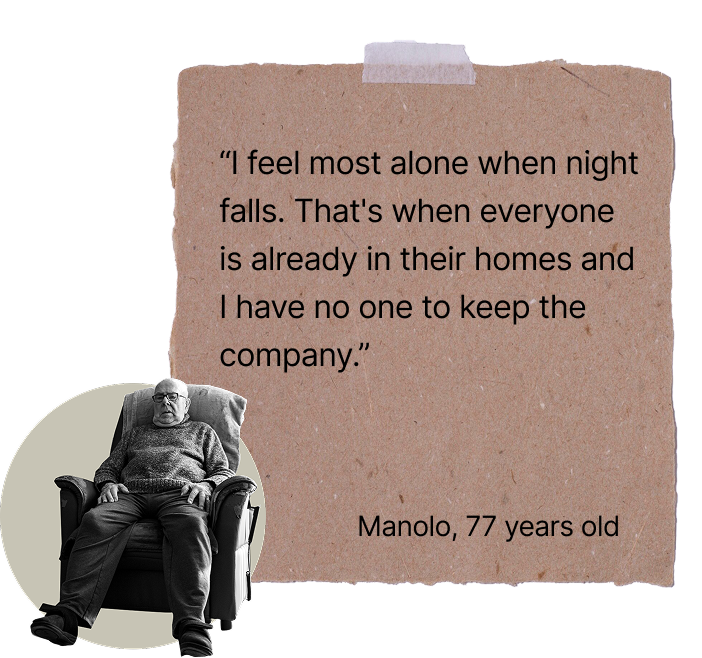
The end of the day is when loneliness feels strongest.
 When the house grows quiet, the emptiness becomes emotional.

Many have grown used to living alone.
 Not because they want to, but because they fear that new people may not fit into their lives.
 They have learned to manage their loneliness and adapt to solitude.

They enjoy being around people of similar age and background.
They want to recreate the social dynamics they had while working: conversations, laughter, shared experiences…

Helping others or doing creative activities like crafts makes them feel valuable.
They want to spend their free time doing things that matter.

Staying active, especially through walking, is seen as the key to longevity.
 They view health as a daily responsibility to extend life.

They fear new digital tools because they feel insecure using them. Their main concern is privacy and data safety.

Chosen insight: Evenings

We focused on evenings because it was the strongest emotional pain point, It was confirmed in interviews and supported by survey data.

43 percent of respondents said they feel most lonely during the afternoon and evening.

When the day slows down and the house gets quiet, feelings of emptiness become stronger.

To keep the project grounded we created a person we could design for, not an abstract profile.

User persona

La Sole

The warmth grandma. The name comes from Soledad, a common name among older spanish women that means “loneliness.” 

  • Age: 66
  • Gender: Female

  • City: Plasencia, Spain

  • Marital status: Widow

  • Living situation: Alone

Personality snapshot

  • Attitude: Positive, independent, connected to family

  • Values: Warmth, creativity, purpose

  • Needs: Safe and simple ways to connect with others her age

Interests

  • Crafting and handmade projects
  • Chatting with neighbors
  • Going for walks
  • Watching her favorite TV dramas
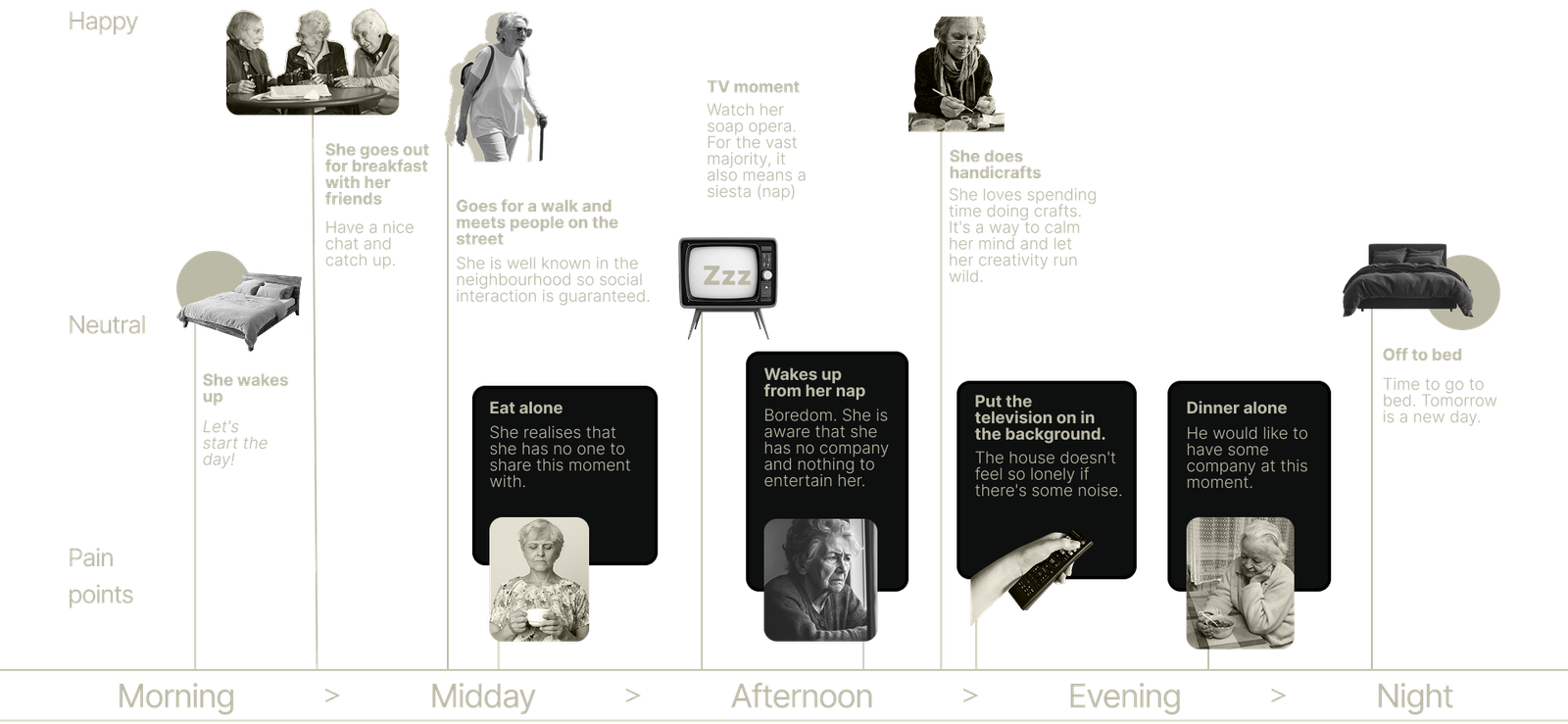
User journey

As can be seen, a day in the life of Sole begins with a strong social component that diminishes throughout the day. Little by little, solitude takes centre stage as the afternoon progresses.

(Click for zoom)

With the problem clear, we refined how Palike could offer real value. A safe space to connect, learn and feel accompanied.

Value proposition

We compared the customer profile with our value map to confirm that Palike addresses real pains, meaningful gains and the key tasks older adults want to accomplish. This helped us shape a value proposition that fits their needs with clarity and purpose.

Enable authentic and safe connections between older adults,
 matched to their interests and availability, so they can feel accompanied, fulfilled, and emotionally connected.

These needs can be turned into simple statements that described what users want to do and why those actions matter.

User story map

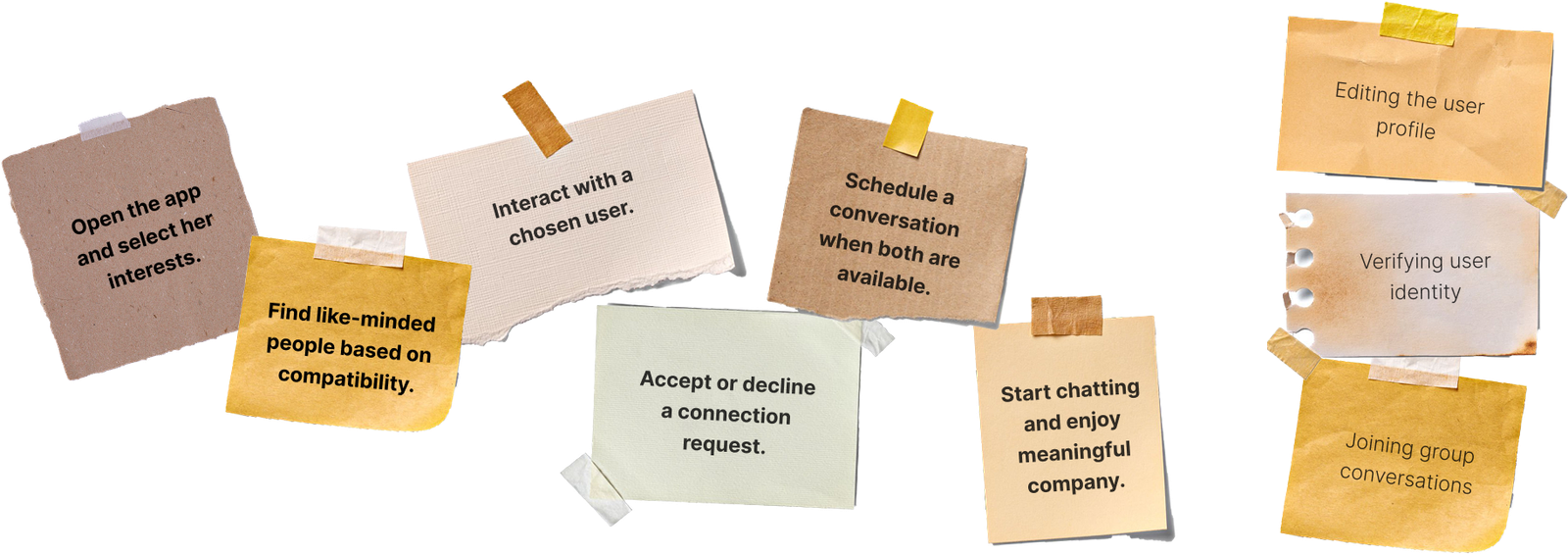
We began building our user story map by returning to a brainstorming session to identify the main actions users would take in our app. 

A rich ecosystem of ideas emerged from the process:

 · 9 user activities.

 · 17 user tasks.

 · More than 70 features.

(Click for zoom)

Then came the filtering stage. What is essential and what can wait? We defined the core features.

MVP

We translated our research into a first functional version of the product. The goal was clear. Identify the minimum set of features that could deliver real value, support meaningful connections and stay accessible for older adults. Everything else would come later.

Prioritisation of user value, business value and technical feasibility:

Ideation

Translate research insights and user needs into tangible design solutions, defining clear tasks, flows, and structures that allow older adults to connect safely and meaningfully through Palike.

Now it is time to model actions. What steps should a user take to achieve their goals with clarity and minimal effort?

Task flow

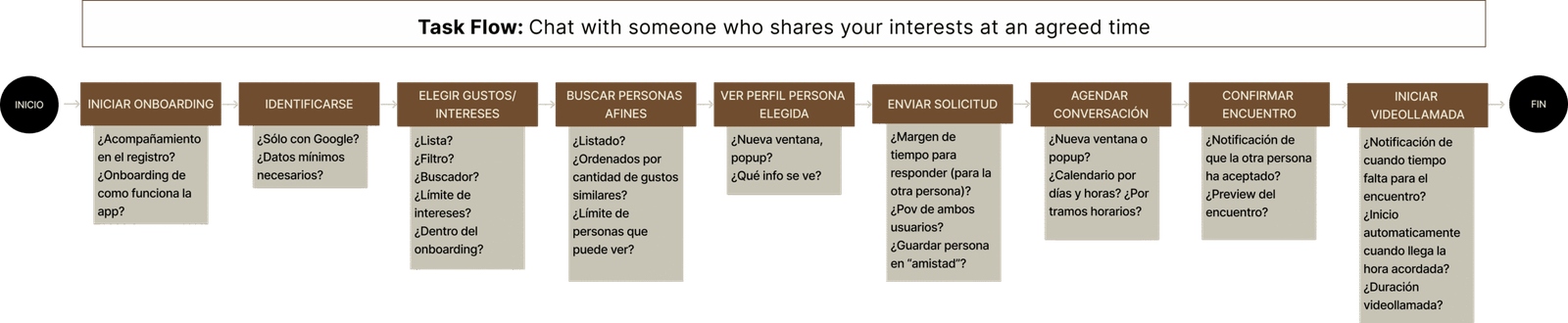
In order to visualize how users would achieve their main goals, we first defined a task flow based on the most critical journey: Chat with someone who shares your interests at an agreed time.

(Click for zoom)

Within the task flow, we decided to record all the questions that arose during the future design process.

Then we connected these steps into a smooth path, making sure users always knew what to do next without pressure.

User flow

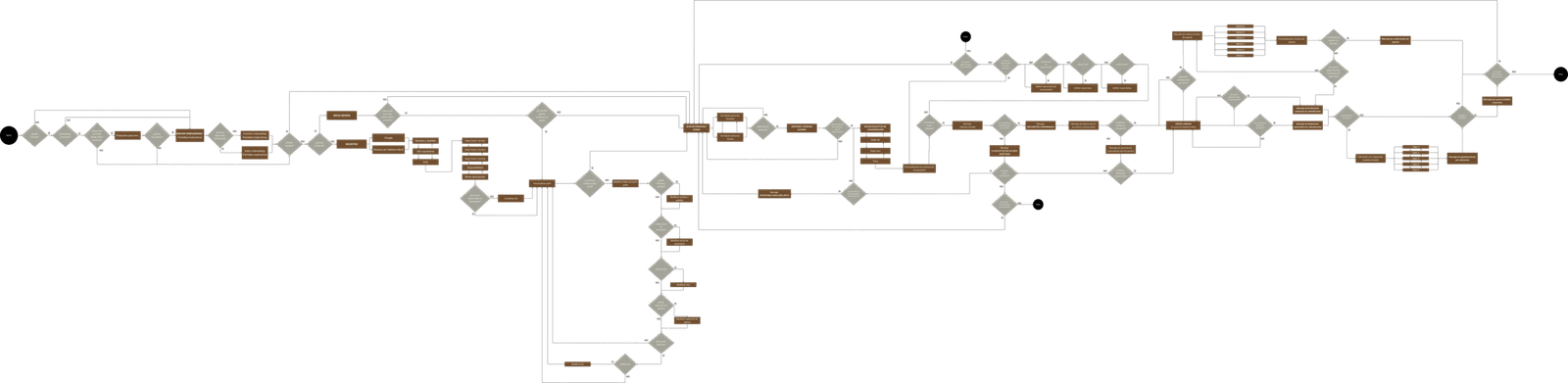
In order to visualize how users would achieve their main goals, we first defined atask flow based on the most critical journey: Chat with someone who shares your interests at an agreed time.

(Click for zoom)

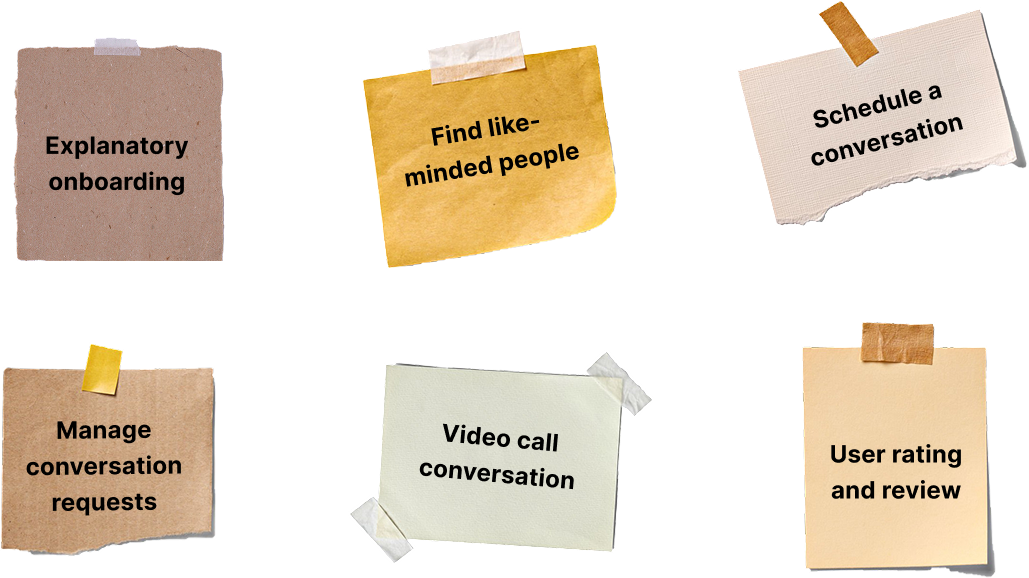
As you can see, our chosen user flow is too large, so we decided to structure it into four smaller ones for better analysis and translation into wireframes.

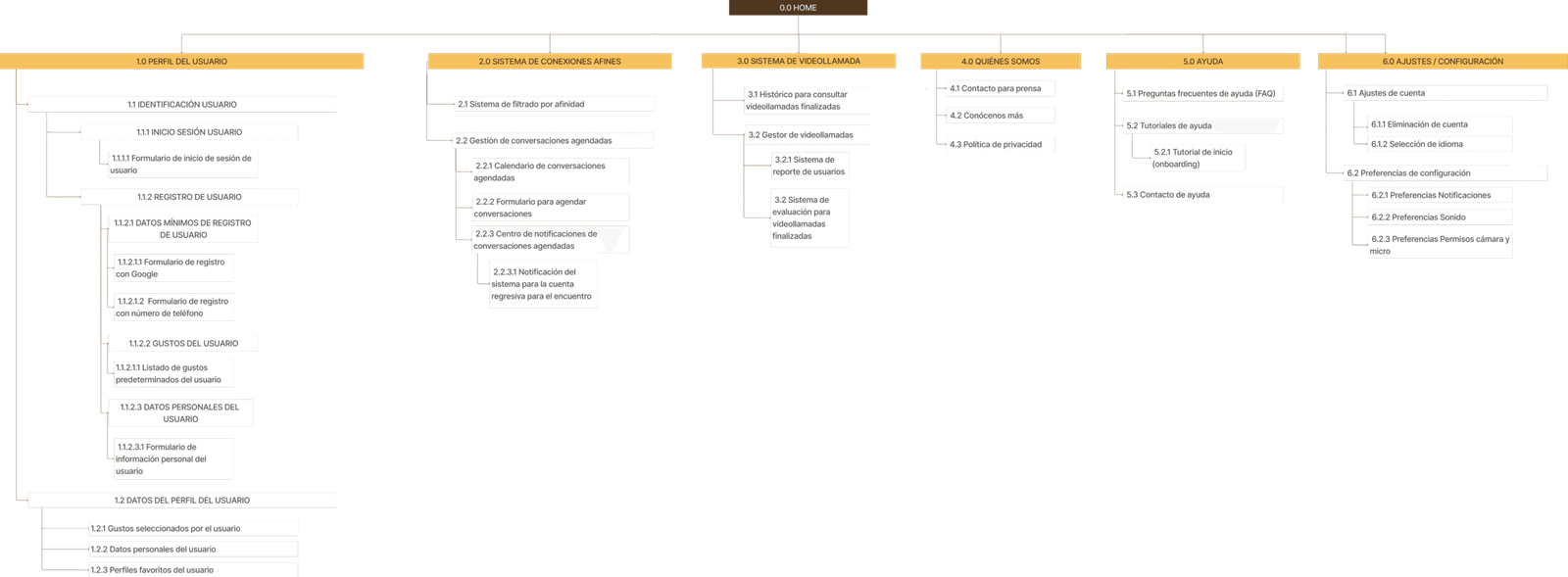
To avoid confusion, we organized the entire structure of the app so users could understand it at a glance.

UX sitemap

Here we encounter a major challenge in our content architecture: our app does not have content as such, since the content will be created by the user themselves when they register, complete their profile, connect, etc.

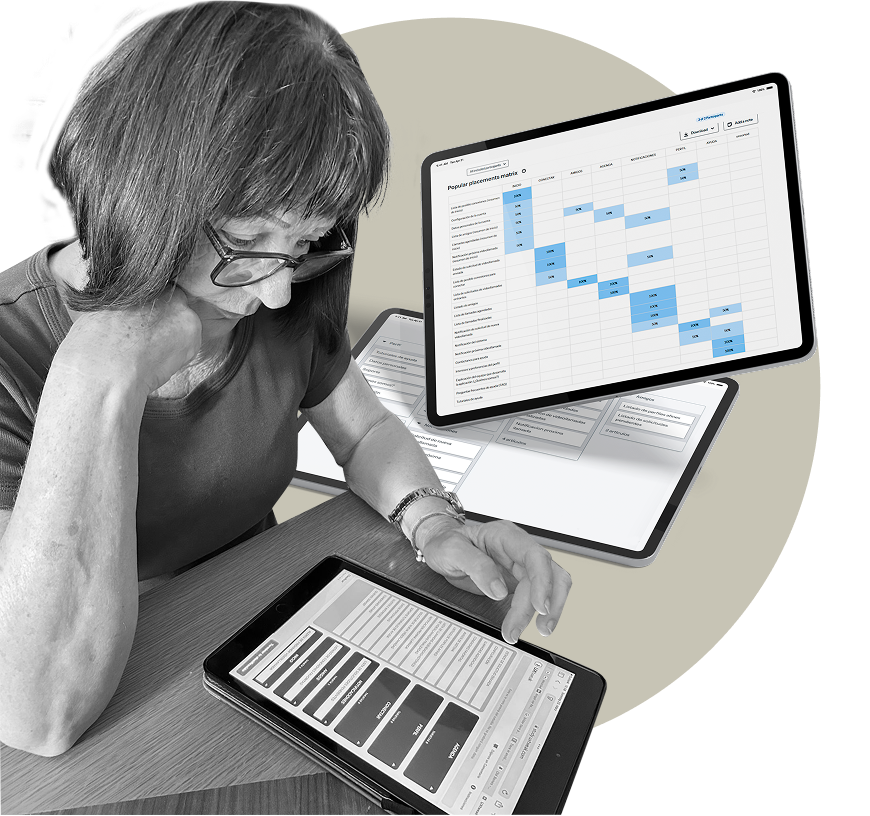
But structure is only useful if it matches the user’s mind. We asked participants to group concepts in their own way to validate our architecture.

Card sorting

In order to verify that our sitemap was correct, we carried out two card sortings:

Romy performing our card sorting

· Card sorting 1:

The nomenclatures were confusing for users, so they were changed to make them more accessible.

· Card sorting 2:

Changed category ‘List of incoming call requests’. A large majority of users place it in a different location than where it was before.

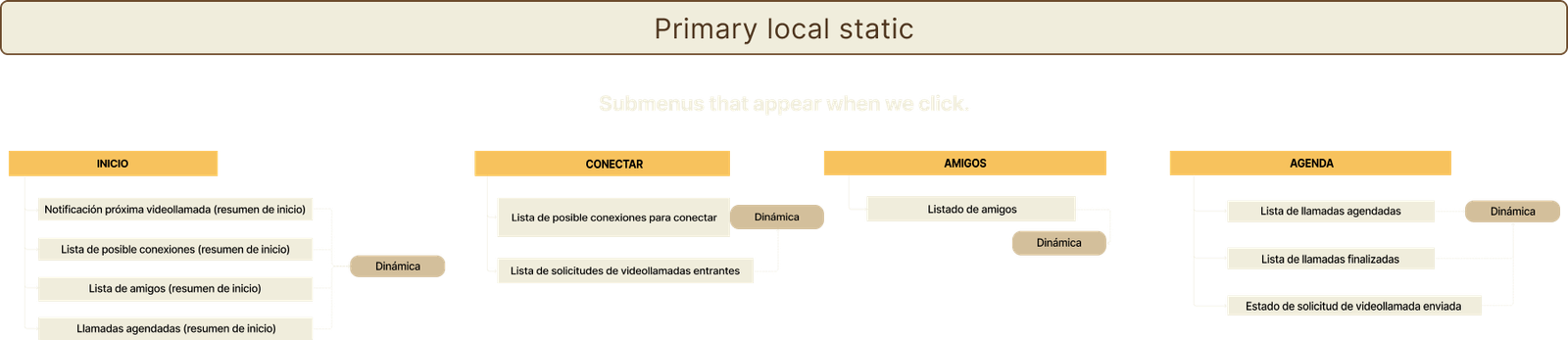
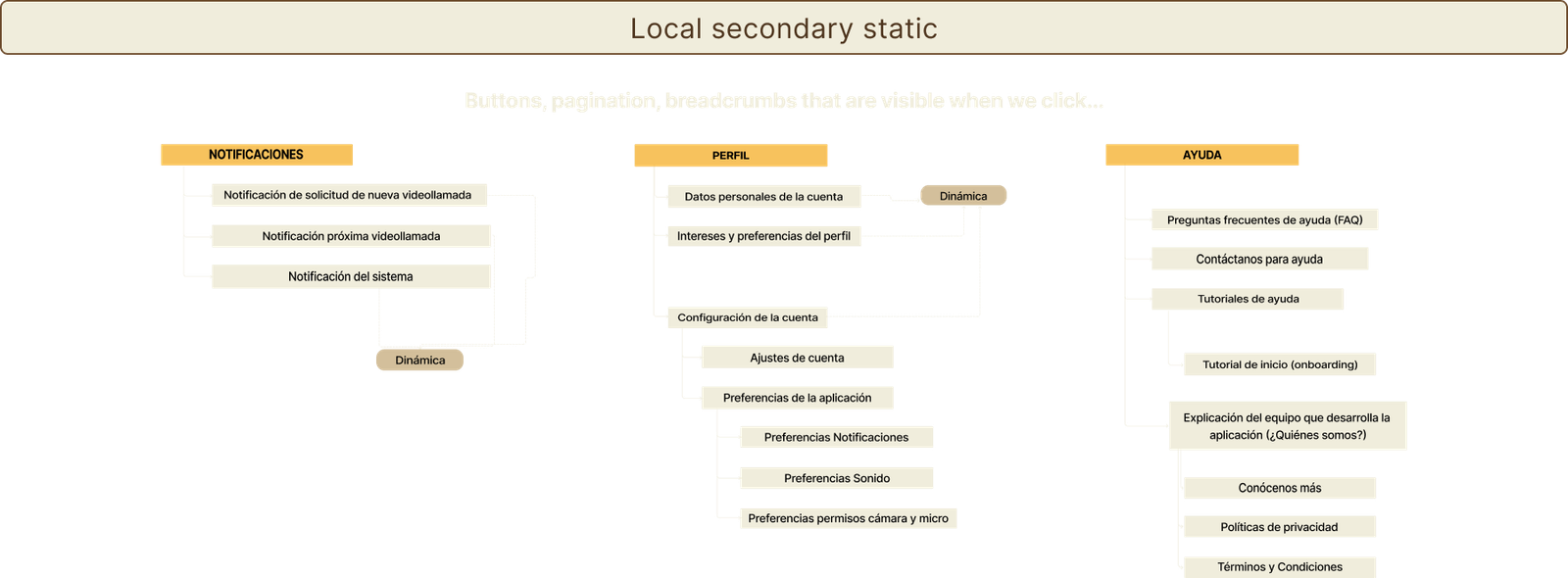
With clarity as our priority, we designed a navigation system easy to follow, even for first-time users.

Navigation

To ensure that older adults can move through Palike effortlessly and confidently, we focused on designing a clear and intuitive navigation structure

We checked if the logic worked. Can users find what they need without thinking too much? This step helped us detect early confusion points.

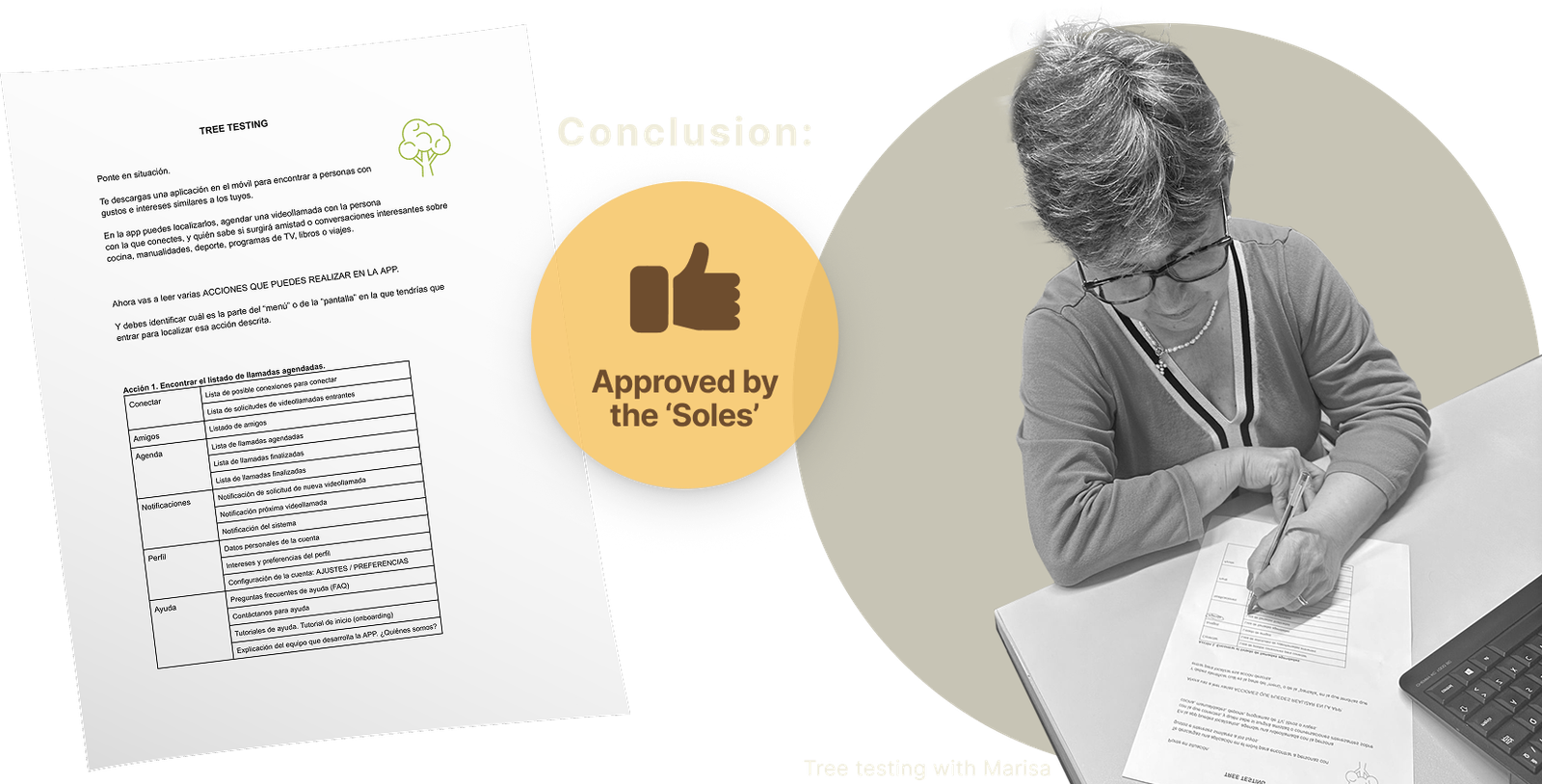
Tree testing

One of our group members works training adults in digital environments, so in no time at all she gathered together several women who were retired or approaching retirement and with them we were able to confirm that the navigation we had designed was indeed intuitive for them.

And the result was very good! Everyone was able to complete the tasks with a high success rate. They have already told us that they want to be the first to test it!

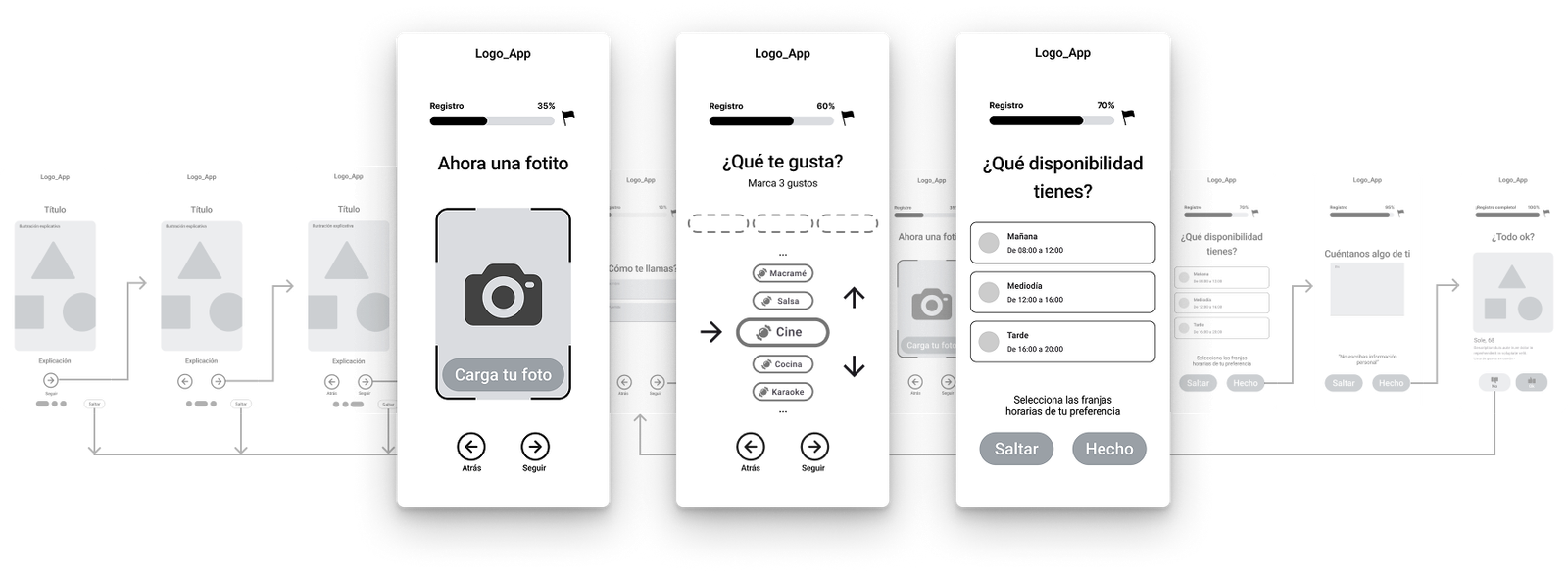
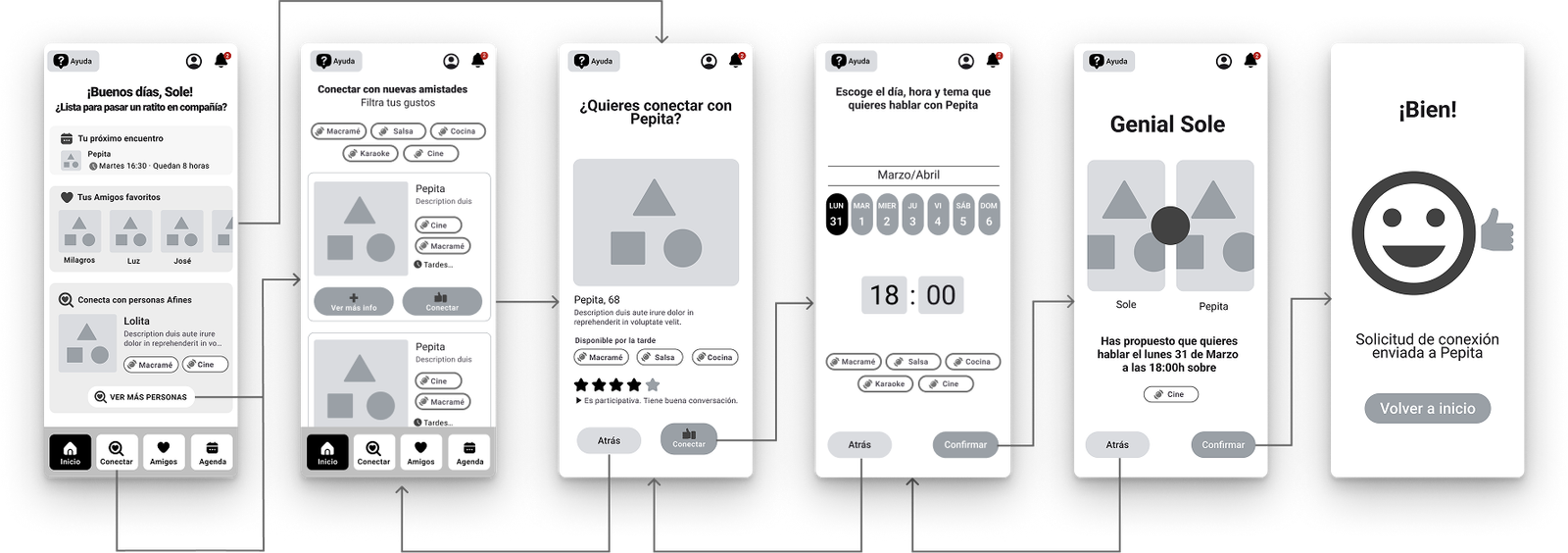
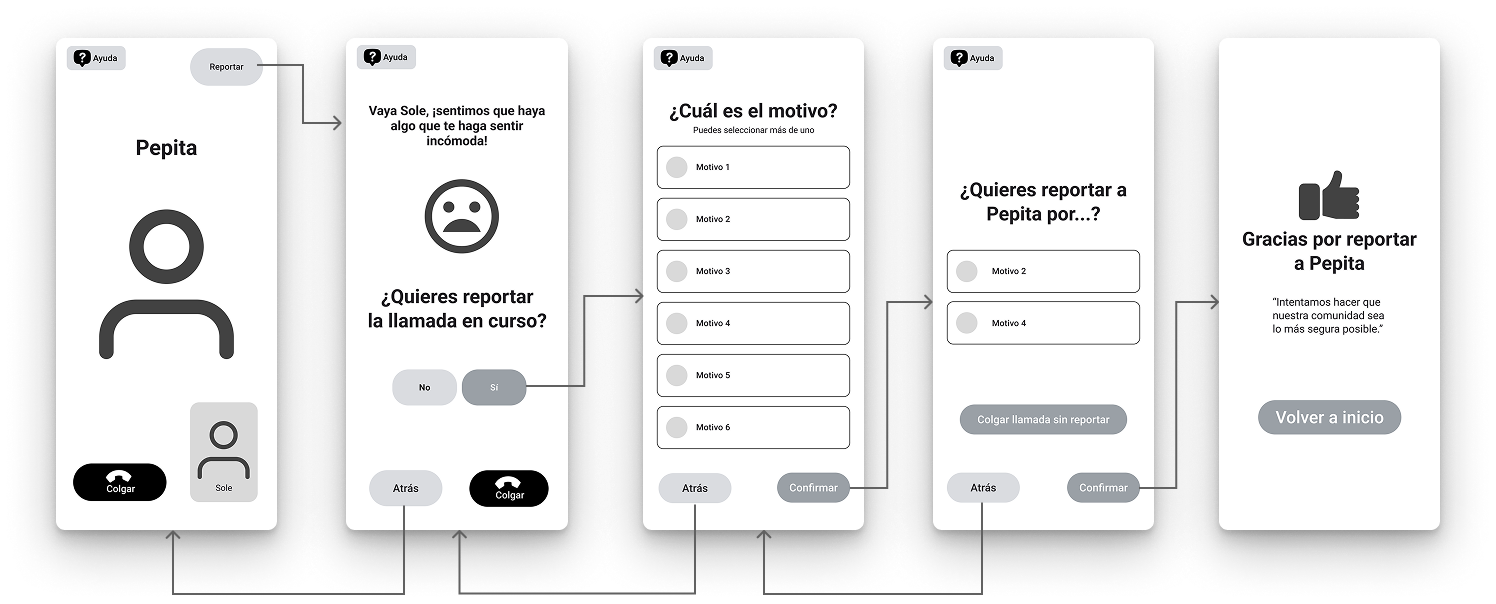
Once the structure was solid, we moved on to screens. Low and mid detail layouts allowed us to explore interactions and see what worked visually.

Wireframes
Onboarding and profile registration
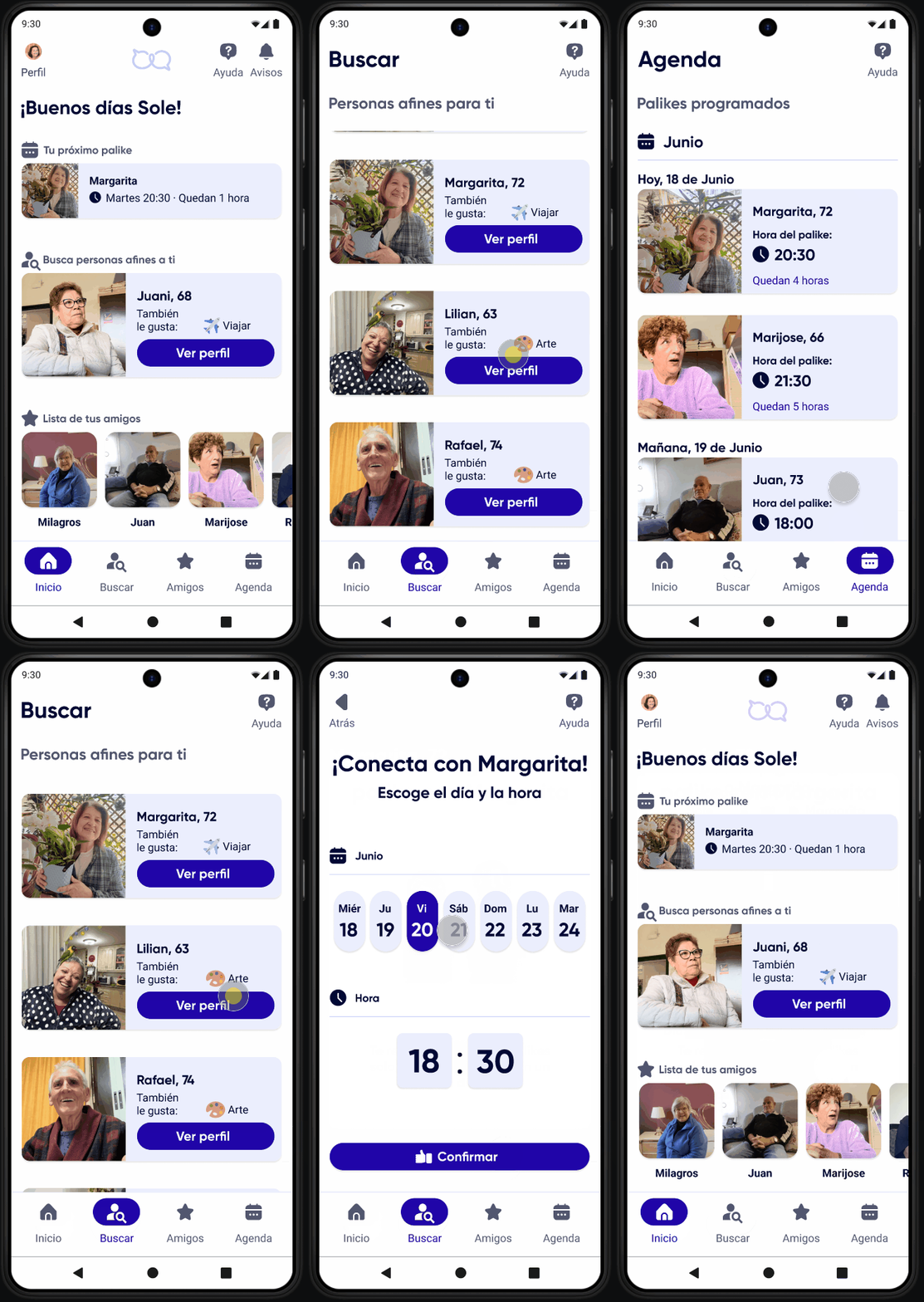
Request for conversation with like-minded person
Report user during video call

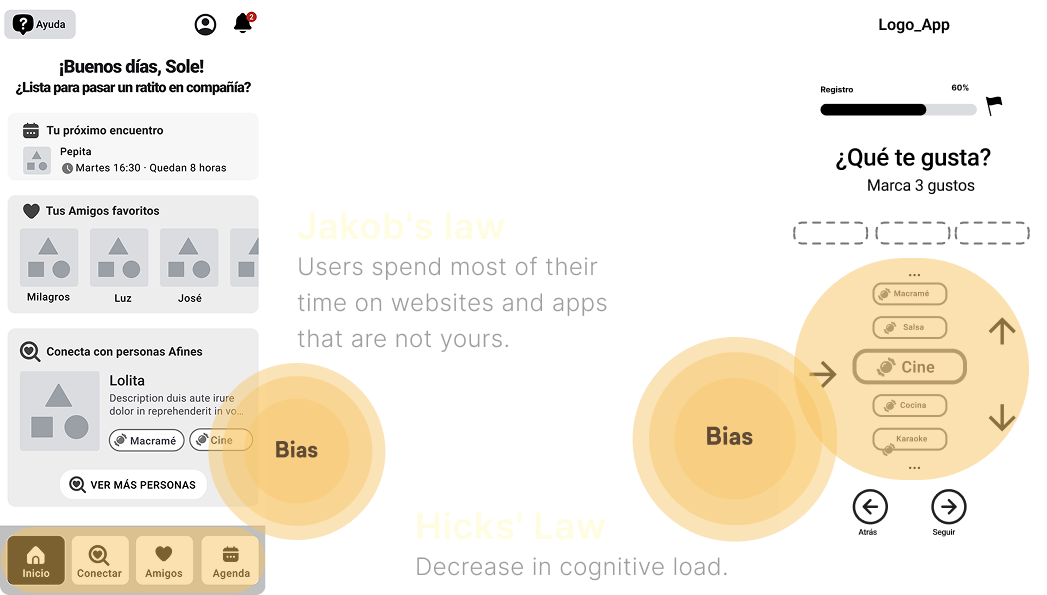
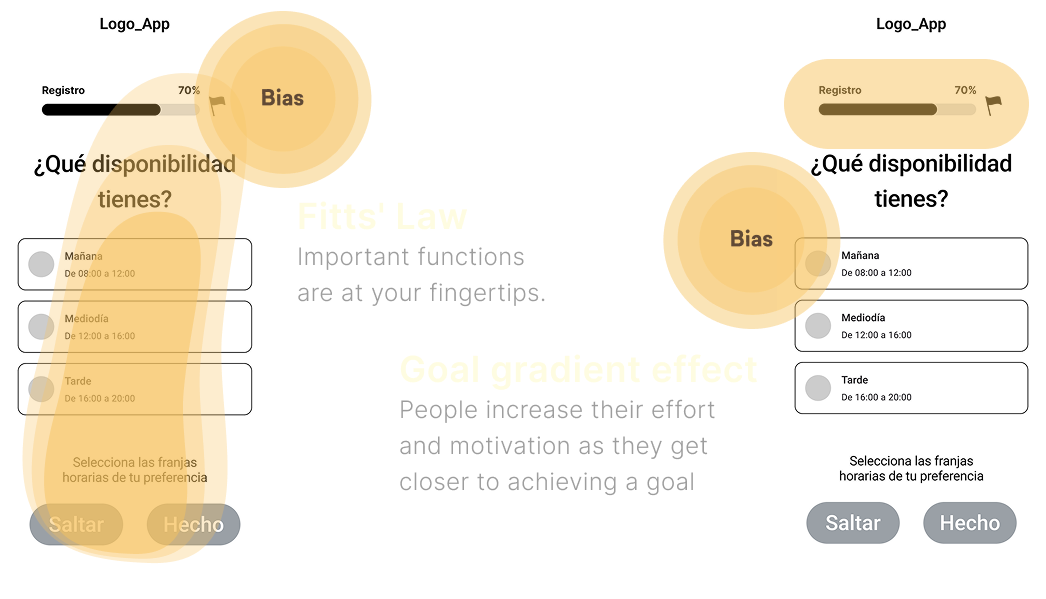
Small details influence behavior. We simplified decisions, reduced cognitive load and added positive cues that made the experience more inviting and motivating.

Cognitive biases

We wanted the app to feel easier and more encouraging, not heavier. We identified the biases that shaped how older adults made decisions and adjusted key moments to guide them with clarity. Small cues helped reduce doubt, increase confidence and make the experience more inviting.

Below is a small sample of some cognitive biases applied to our screens.

Design

Transform insights and flows into a cohesive visual identity and an accessible interface that feels friendly, trustworthy, and easy to use for older adults.

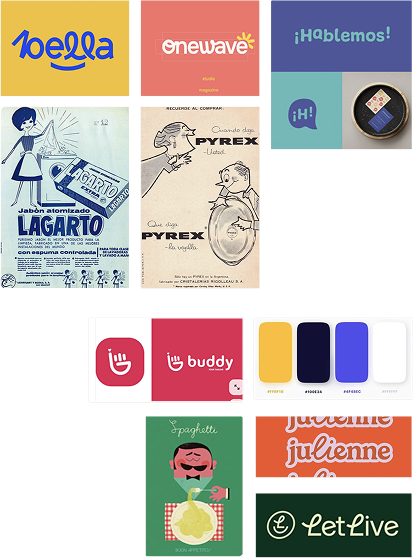
We wanted a name that felt close, familiar and meaningful. Something older adults could pronounce, understand, and smile at.

Naming
Moodboard

Why “Palike”?

We picked a name that is short, easy to say, and familiar for older adults.
It needed to feel warm and friendly.

It comes from the Spanish word “palique,” which means light conversation.
We adapted it to Palike to make it more modern and to hint at the English word “like.”

The name reflects two key ideas of the app. Talking and connecting.

Logo

Process

The logo is based on several concepts that we wanted to capture because they are important in representing the essence of palike.

Final version

It reflects  connection through simple conversation, joined in a continuous loop of support and companionship.

Logo versions

We created a system based on clean typography, accessible colors and components designed for clarity and comfort.

UI kit

Typography

Our main typeface is Gilroy in bold. We use it for the logo and all headings. It is modern and clean, with a subtle vintage touch thanks to its geometric shapes. This gives the project a warm and familiar character.

For body text we use Roboto. It stays readable at any size, which helps older adults who need clear spacing and simple letterforms.

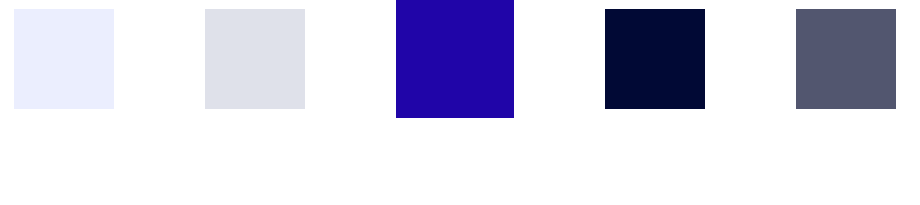
Colours

Why this selection?

We reduced the palette to only the essential tones you see in the prototype. This lowers visual load and creates a cleaner interface.
Our primary color is a strong and pleasant blue. It creates a sense of trust and calm, something many banks and service companies use for the same reason.

Cataracts

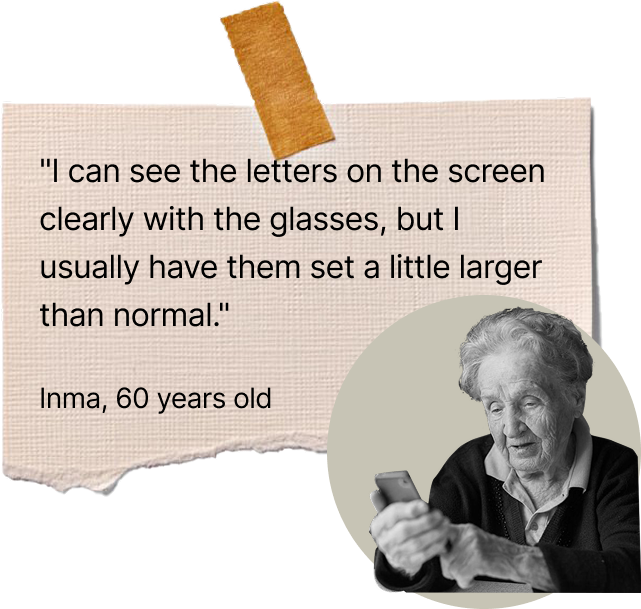
We also considered common age related vision changes like cataracts. This condition adds a yellow tint to everything, which makes similar colors blend together. For that reason we avoided combinations that can be confusing, such as blue with purple or yellow with green.

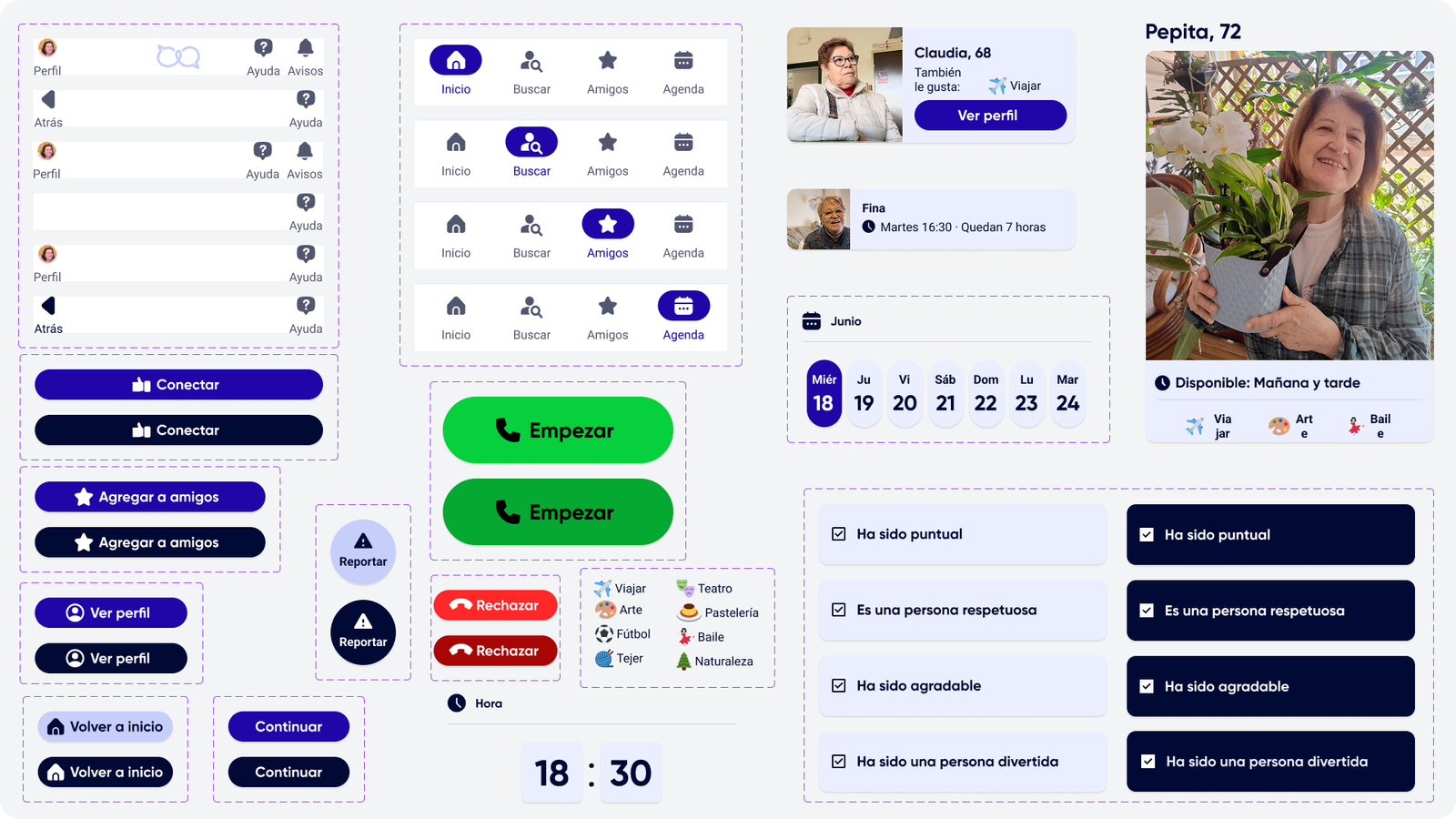
Main UI components

Components give structure to the interface and help older adults interact with the app without confusion. We focused on clear, consistent elements that guide actions, reduce effort and support a smooth experience across every screen. Below you can see a sample of the components used in the app.

Accessibility

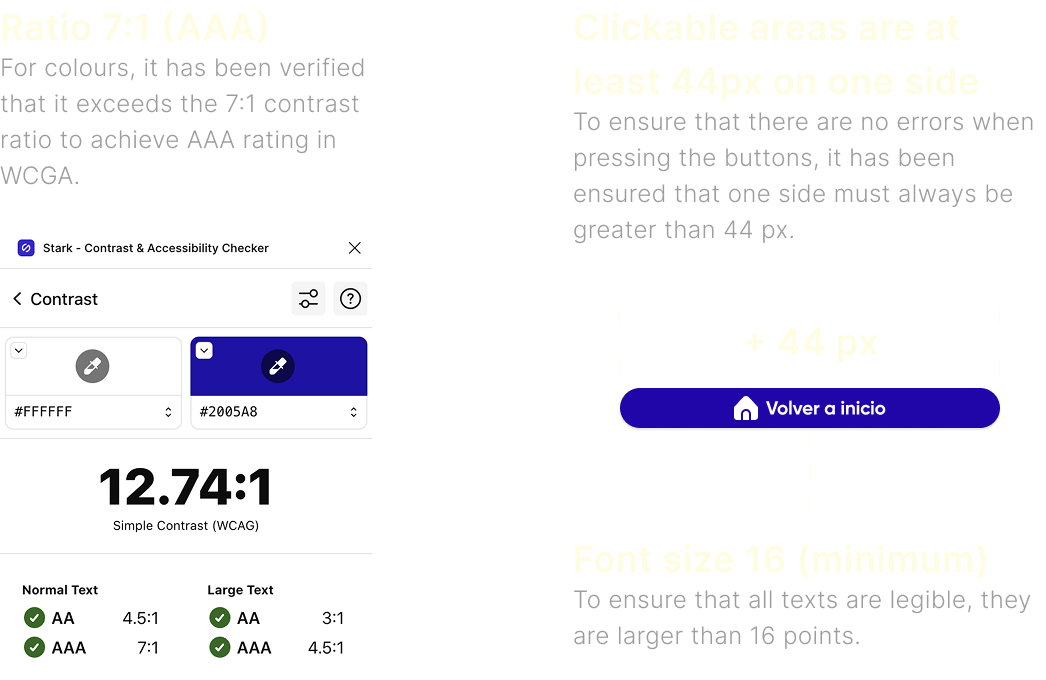
The accessibility and usability of our application has been one of our priorities due to the type of user. We must make technology as user-friendly as possible.

Accessibility guided the entire project. Older adults are often ignored in digital products, even though they grow fastest and need the most adaptation. We aimed to help them feel capable, independent and confident while using Palike.

Component design examples

Navigation Support

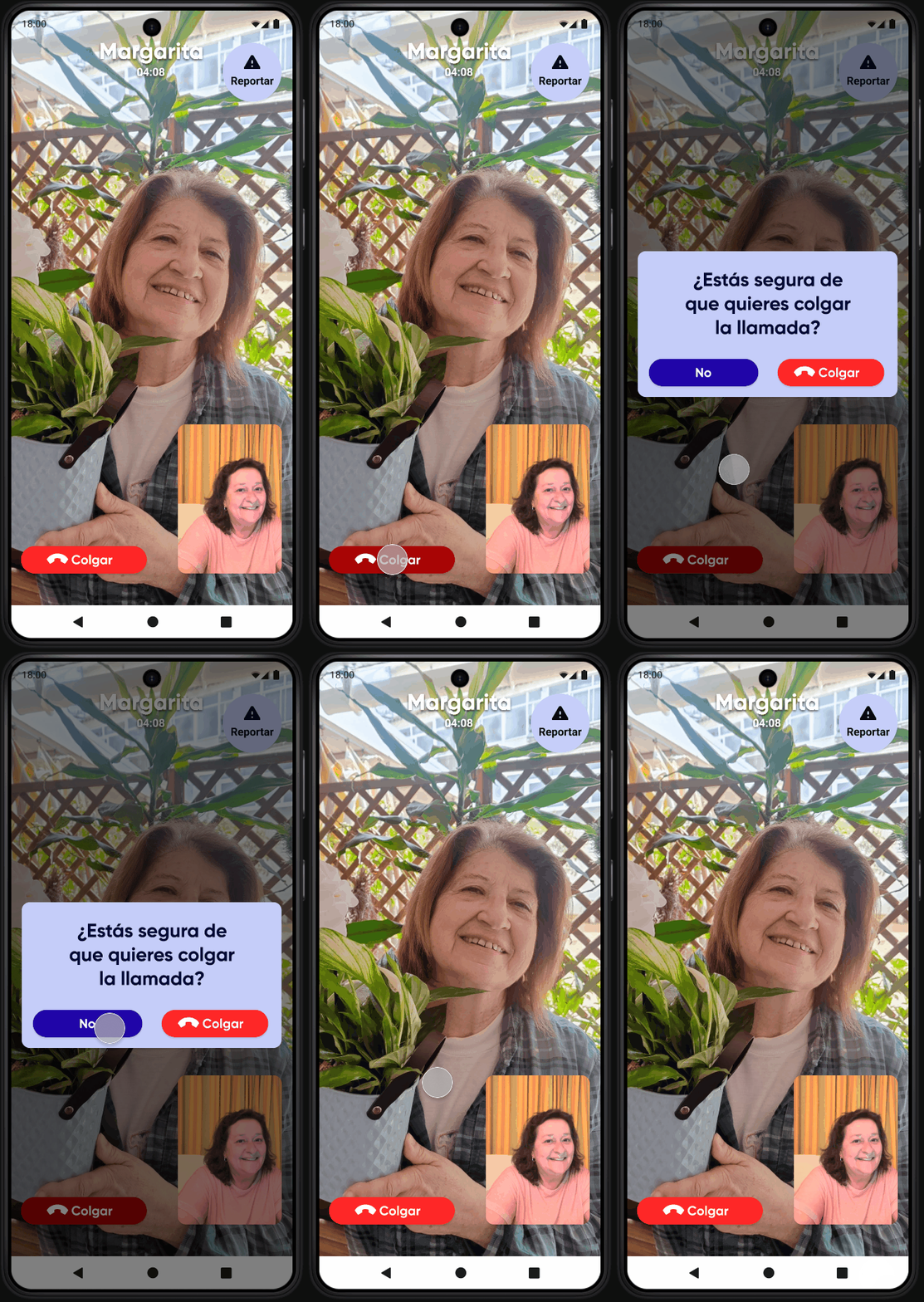
Every navigation element in Palike has been carefully designed for older adults. We focused on creating a simple, predictable, and reassuring experience, where every action feels clear and easy to undo. Our goal was to reduce cognitive load, avoid confusion, and make sure users always know where they are and how to go back, key aspects for ensuring comfort and confidence in digital environments.

· Enough time to read.
· Specific confirmation for destructive actions.

· Simple actions.
· Ability to go back or undo an action.

Tests

Validate the prototype with real users, identify friction points fast and refine the final design so older adults could navigate the app with clarity, confidence, and ease.

We invited five older adults to try the prototype. Their feedback helped us adjust the design to match their needs and language.

User test

What we learned?

Our tone sounded too digital and they had trouble understanding certain things. They didn’t identify with the slang or language of social media so we had to adapt .

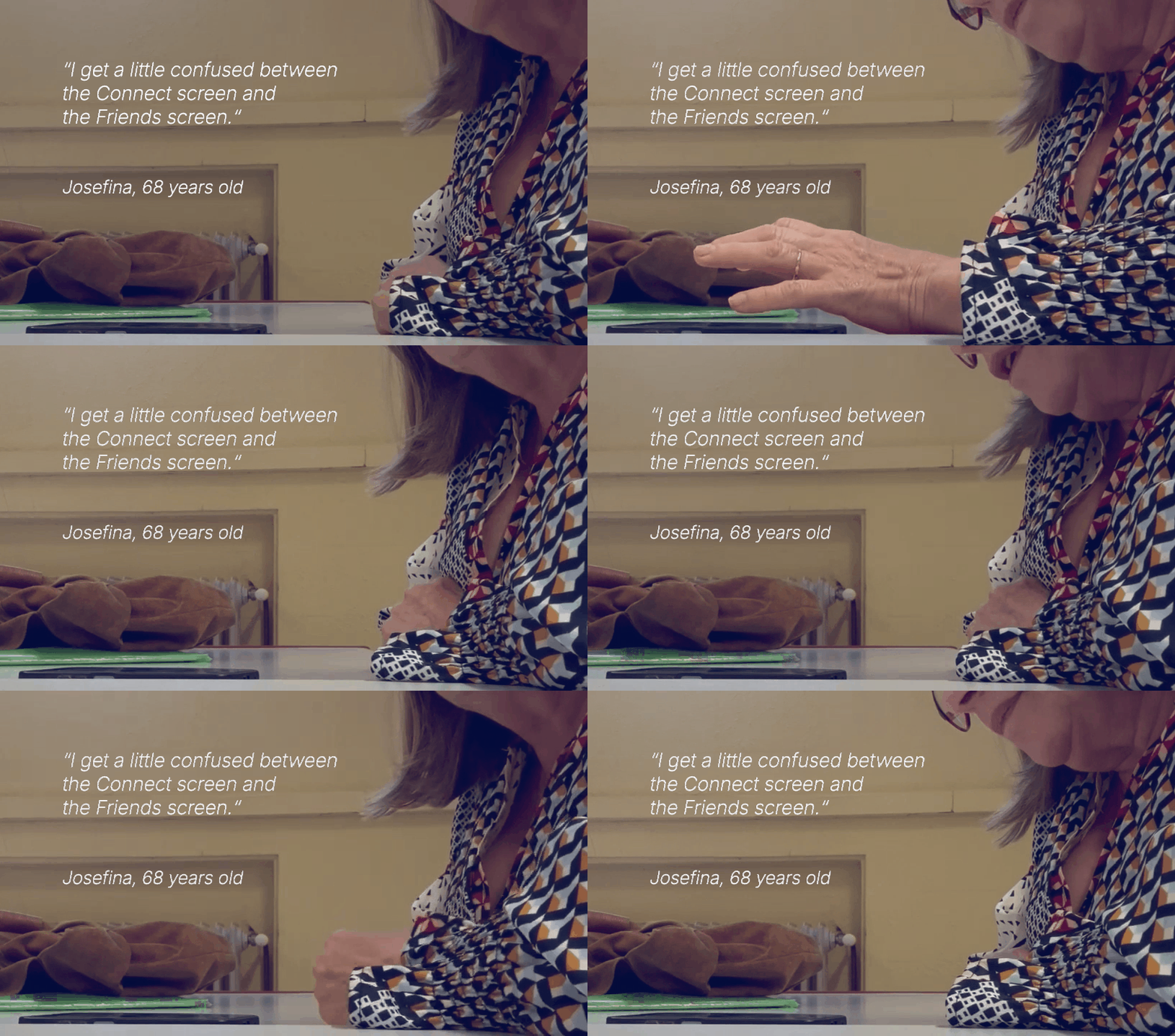
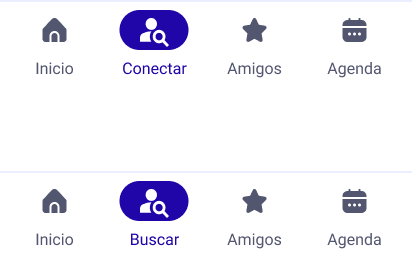
Connect

The label Conectar (connect) caused confusion. Some participants thought it meant Amigos (friends), so we replaced it with Buscar (search).

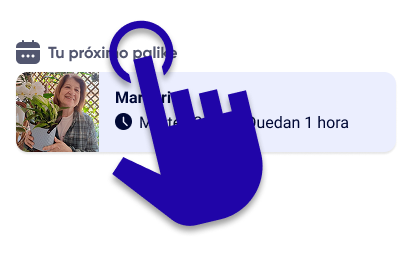
Section headers

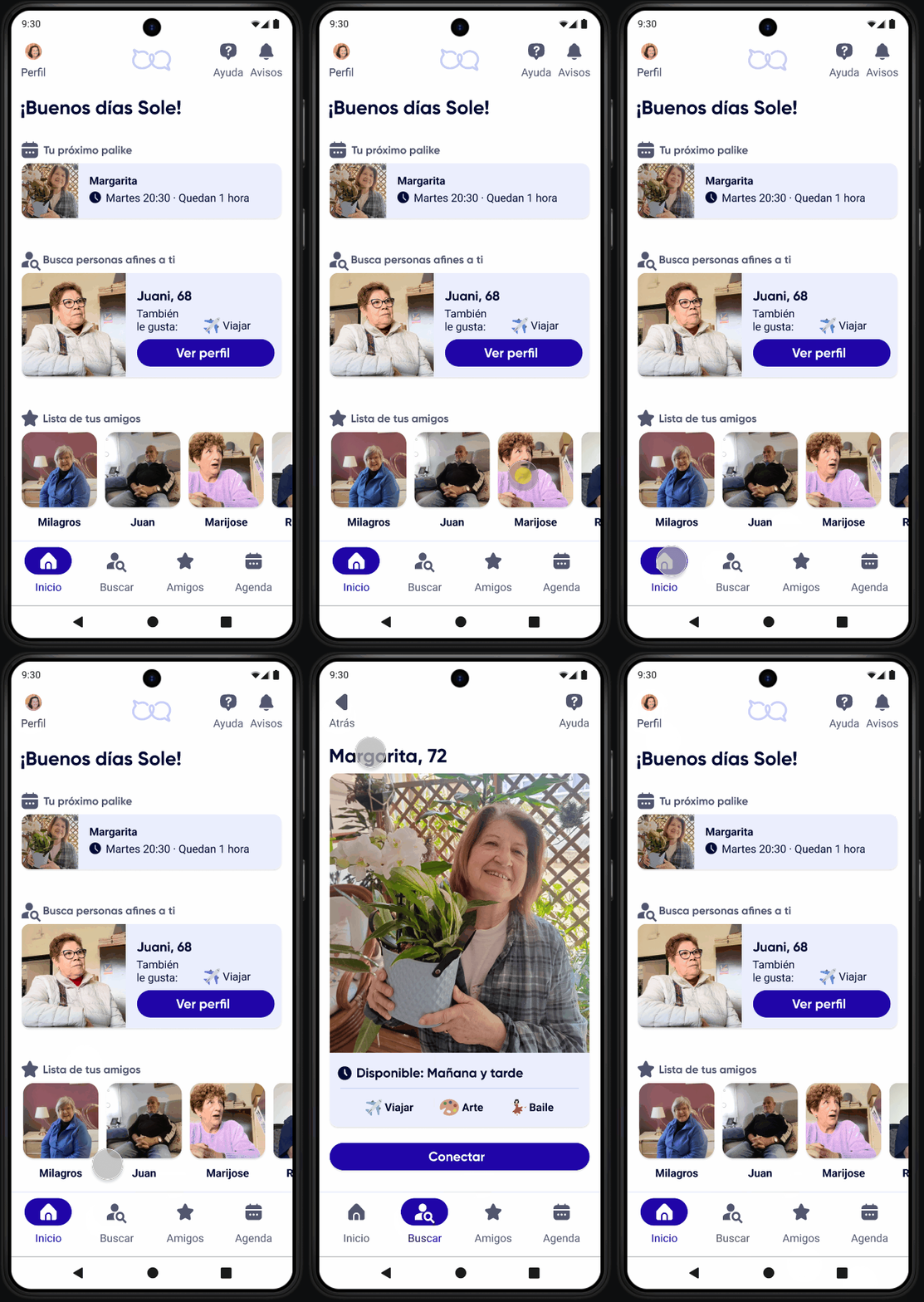
The section headers on the home screen appeared to be interactive. Participants attempted to tap them, so we made them clickable.